Turn your syllabus into a calendar automatically
Upload a class's syllabus to Sendy and it reads out every date that matters, including assignments, quizzes, midterms, finals and weekly readings, and puts them on one calendar with your other classes. It also reads the grading scheme and exam format, so your notes and practice tests focus on what each test covers and how much it is worth.
How it works
- Upload the syllabus as a PDF or Word file when you set up the class. If the schedule is in a separate file, add that too.
- Sendy reads the dates: due dates, quizzes, tests, exams and readings, with their weights when the syllabus gives them.
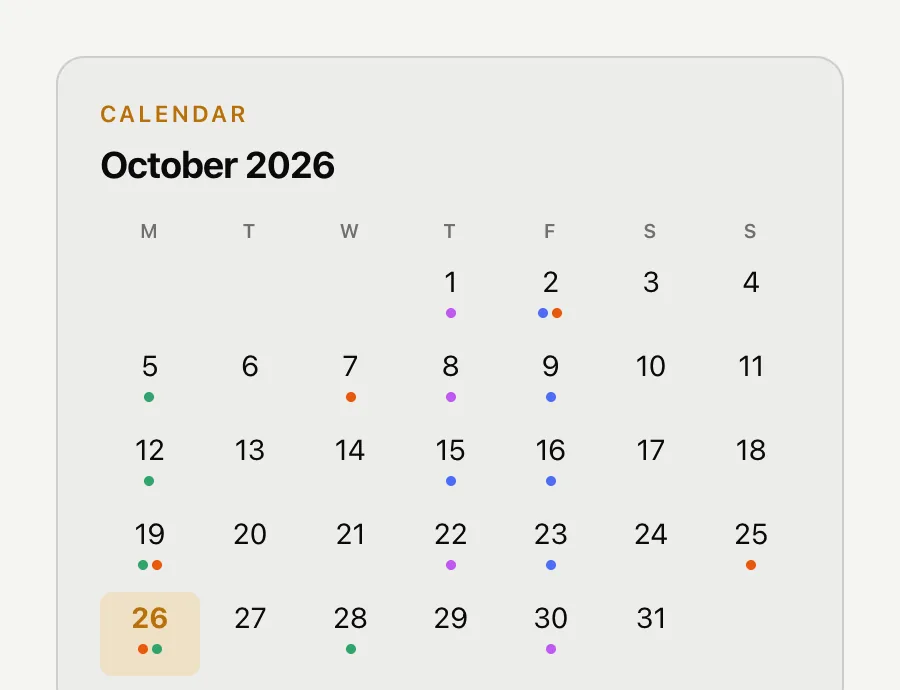
- Everything lands on one calendar on your home page, coloured by class, alongside the dates from your other courses.
More than a calendar
The same syllabus tells Sendy what each test covers, how it is graded and in what format. That feeds everything else: notes flag what the midterm tests, practice tests follow the exam's question mix, and Ask Sendy can answer "what is on the final and when is it?"
When the syllabus changes
Professors move dates. Upload the new version and press Re-read dates on the class page to update the calendar.
What it will not do
Sendy does not sync to Google Calendar or Apple Calendar. It keeps the dates with your study material so the two stay connected.
Questions students ask
Can it read any syllabus?
Most syllabi in PDF or Word work, including tables and week-by-week schedules. If a date is missing, check the original and add it to the file.
Does it sync with Google Calendar?
No. The calendar lives in Sendy next to your study material.
What if my class has more than one schedule file?
Add them all. Sendy reads every syllabus file attached to the class.
Does it use the grading scheme?
Yes. It reads weights and exam format and uses them to focus notes and practice tests.